
Exporting NettyWorth Wallet Keys
NettyWorth wallets are powered by Privy. You can export the private key or recovery phrase associated with your NettyWorth wallet through Privy's wallet portal.
Important: Never share your private key or recovery phrase with anyone. Anyone who has access to this information can control the wallet and its assets. NettyWorth support will never ask you to provide your private key or recovery phrase.
Before You Begin
You must sign in to Privy using the same email address you use to log in to NettyWorth. Using a different email address may open a different Privy account and will not display your NettyWorth wallet.
How to Export Your Keys
1. Open the Privy Wallet Portal
Go to:
After signing in, select NettyWorth from your Privy apps and click Export keys.
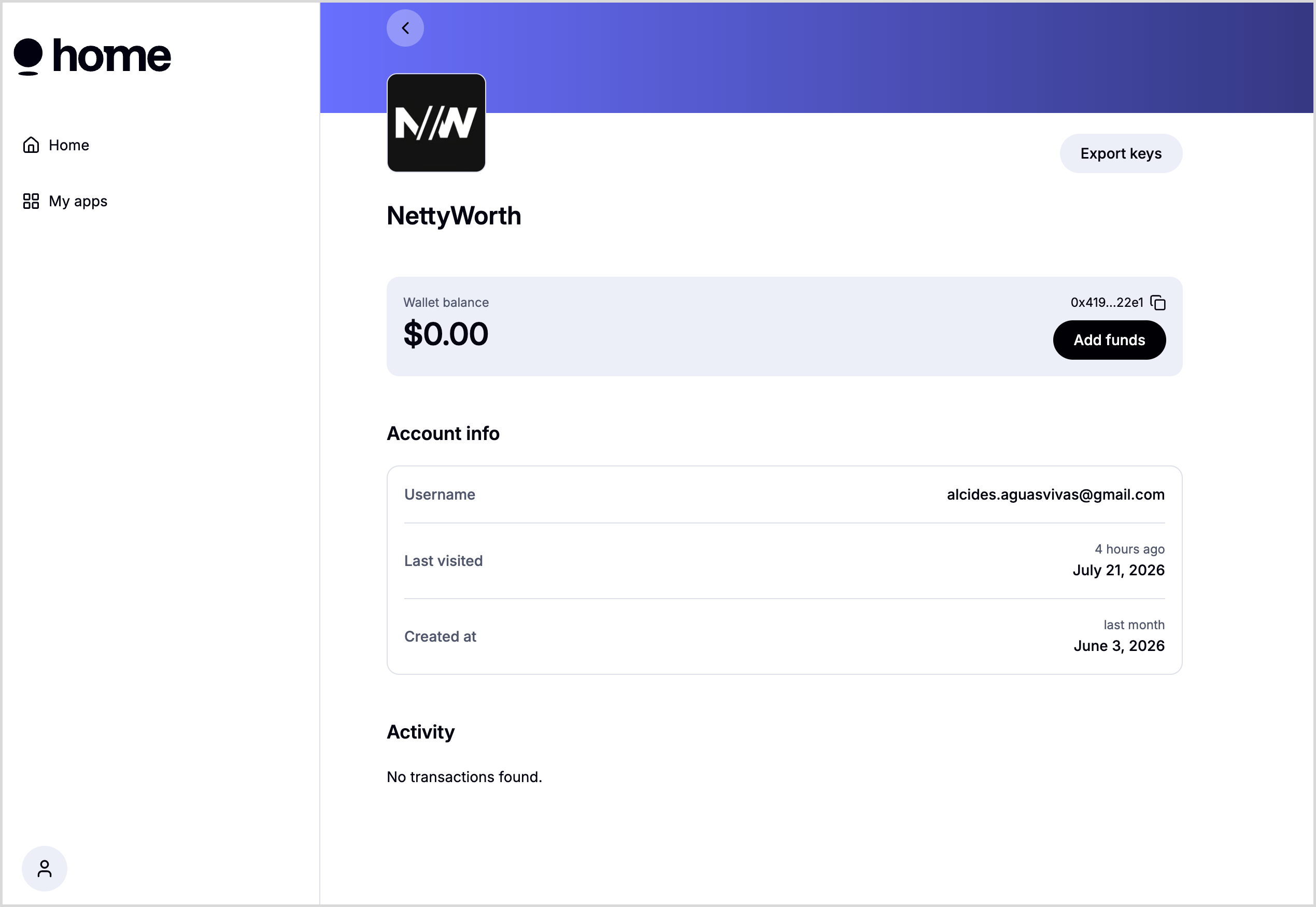
2. Sign In With Your NettyWorth Email
Privy will ask you to re-authenticate before allowing you to export your wallet credentials.
Enter the same email address used for your NettyWorth account, then complete the verification process sent to that email.
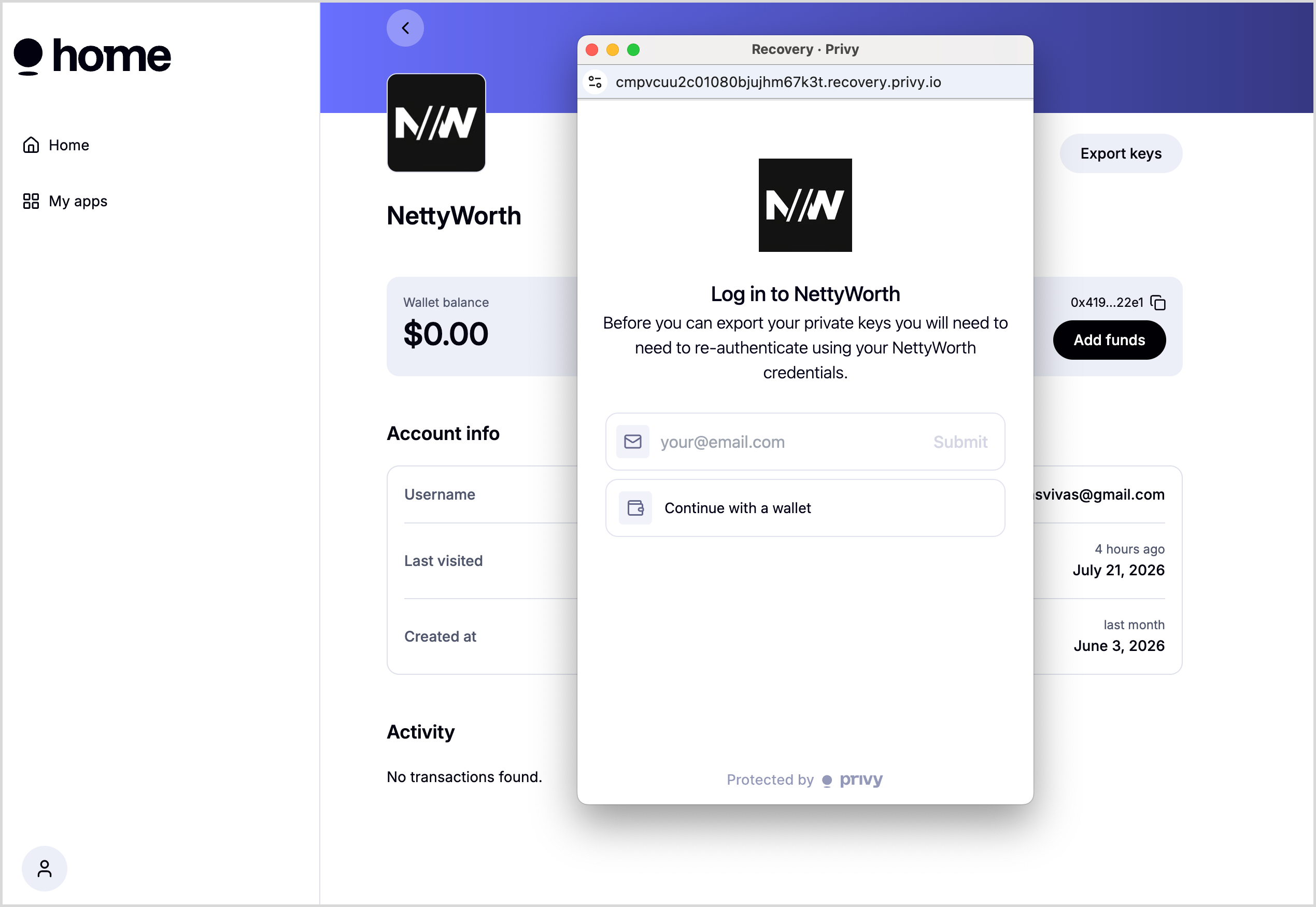
3. Select Your NettyWorth Wallet
After authentication, Privy will display the wallets connected to your NettyWorth account.
Locate the wallet you want to export and click Export.
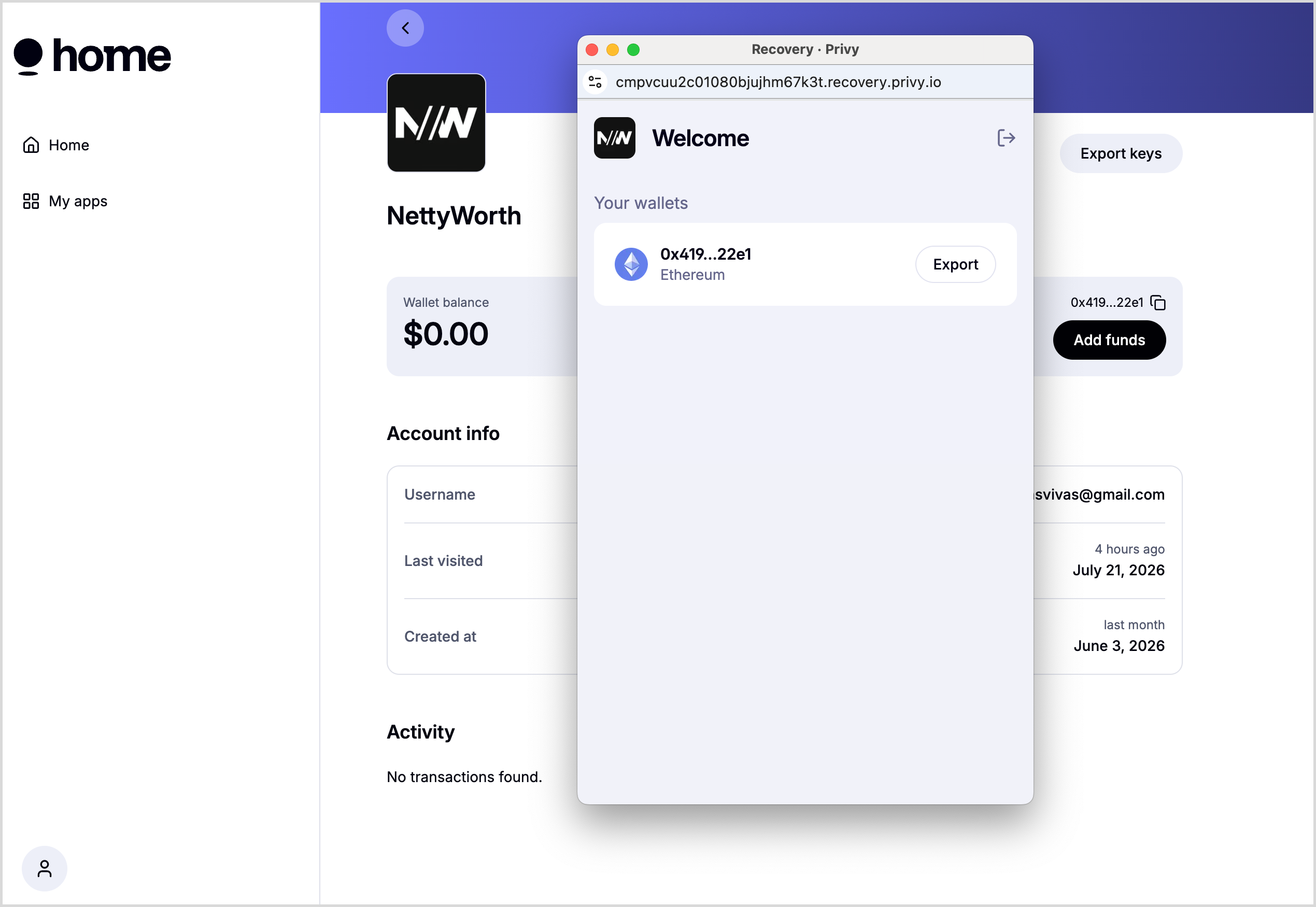
4. Export Your Private Key or Recovery Phrase
Privy will display options to copy either your:
- Private key
- Recovery phrase
Select the option you need and store the information securely.
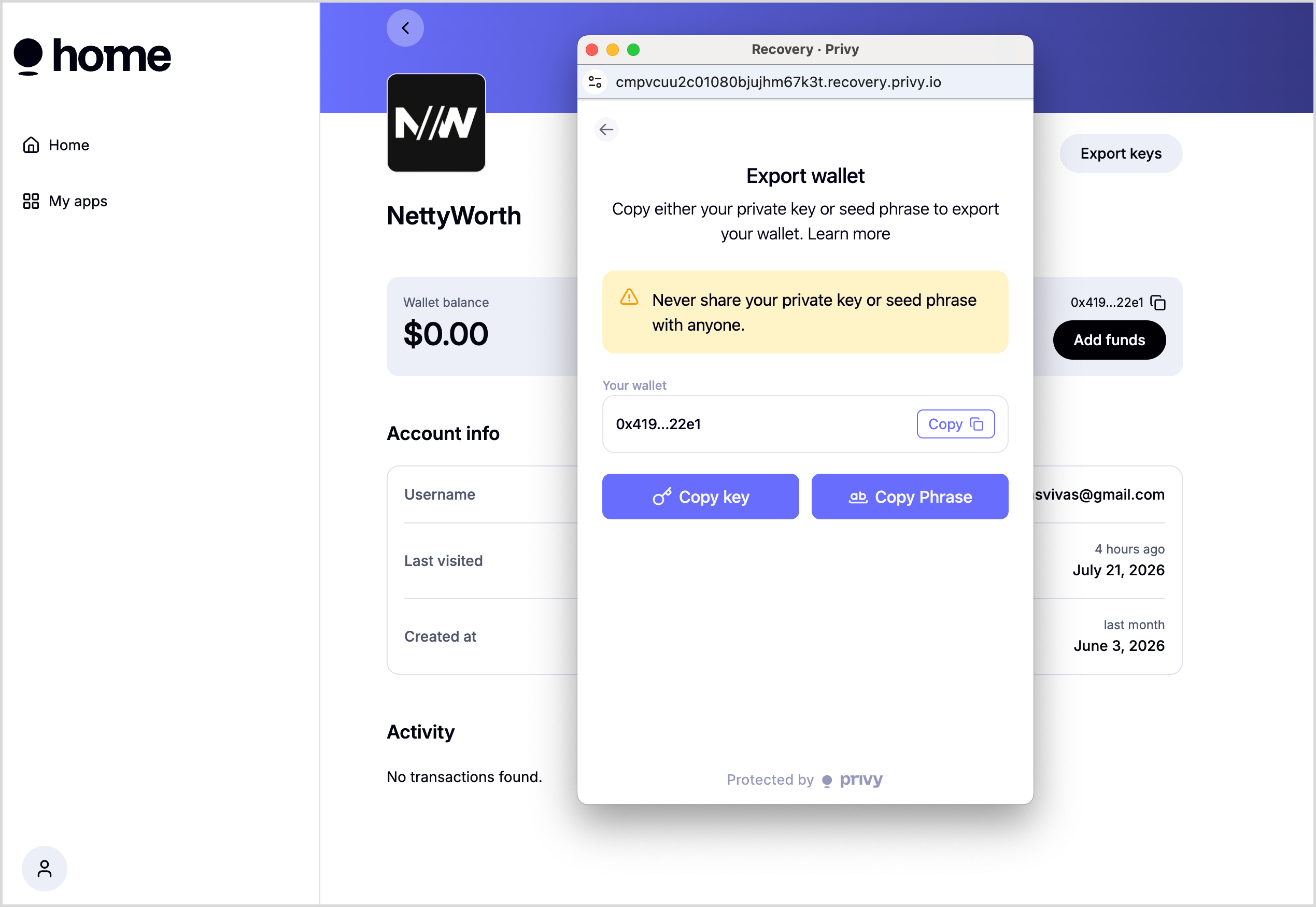
Security Reminder
Your private key and recovery phrase provide full access to your wallet.
- Do not send them through email, text messages, social media, or support chats.
- Do not enter them on websites you do not trust.
- Store them in a secure password manager or another protected offline location.
- NettyWorth and Privy cannot recover funds that are transferred by someone who gains access to your keys.
Troubleshooting
My NettyWorth wallet is not displayed
Confirm that you signed in to Privy using the exact email address associated with your NettyWorth account. Signing in with another email may create or open a separate Privy profile.
I did not receive the verification email
Check your spam or junk folder and confirm that the email address was entered correctly. You may also wait a few minutes and request a new verification email.
MetaMask says the private key is invalid
If Metamask does not accept your Private Key use your Seed Phrase and that should work.
Updated 3 months ago