
How to Take Out a Loan
Learn how to easily navigate the Nettyworth platform and process a new loan. This guide walks you through setting your loan amount, selecting terms, and finalizing your collateral agreement.
1. Navigate to https://nettyworth.io/
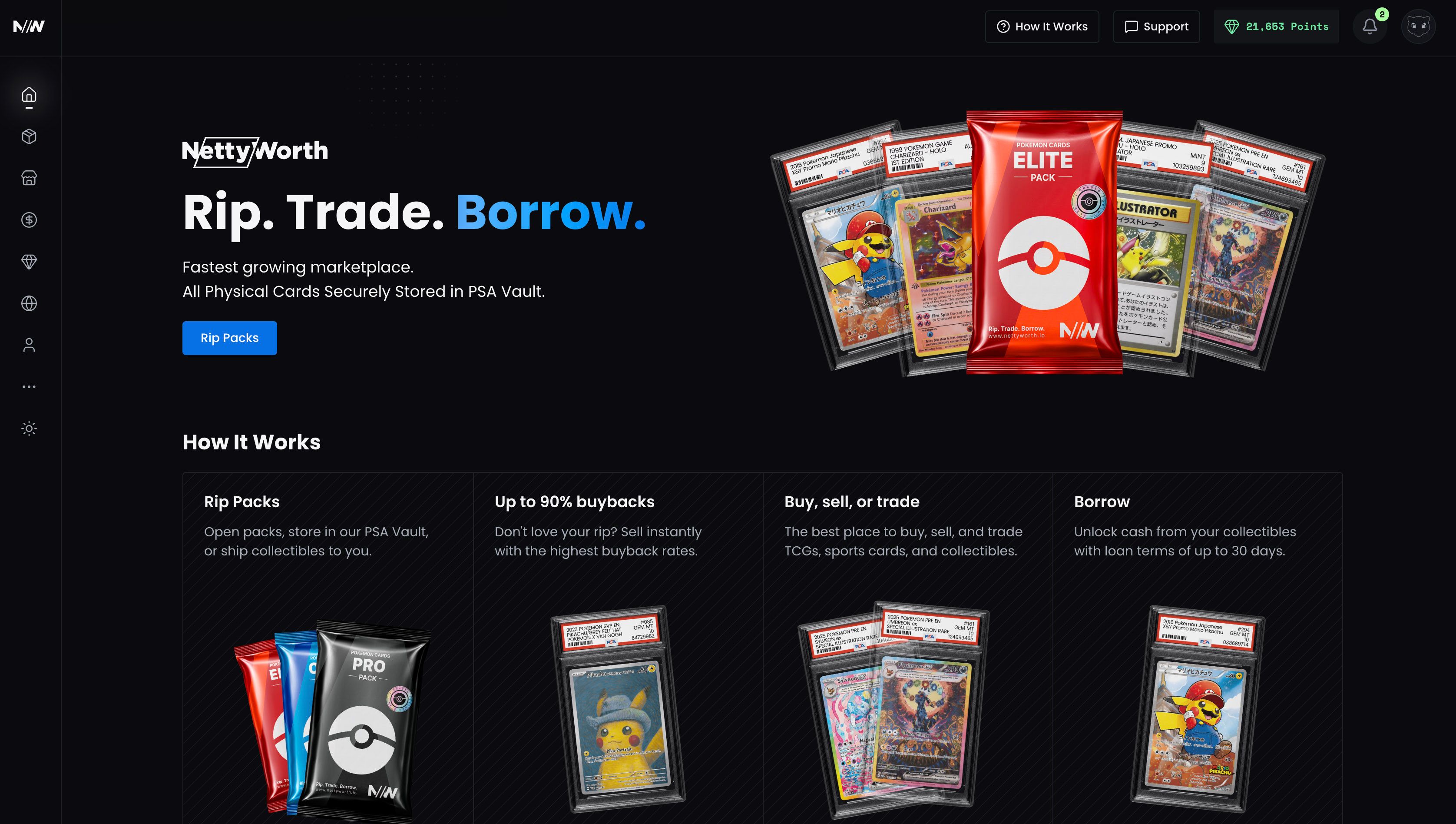
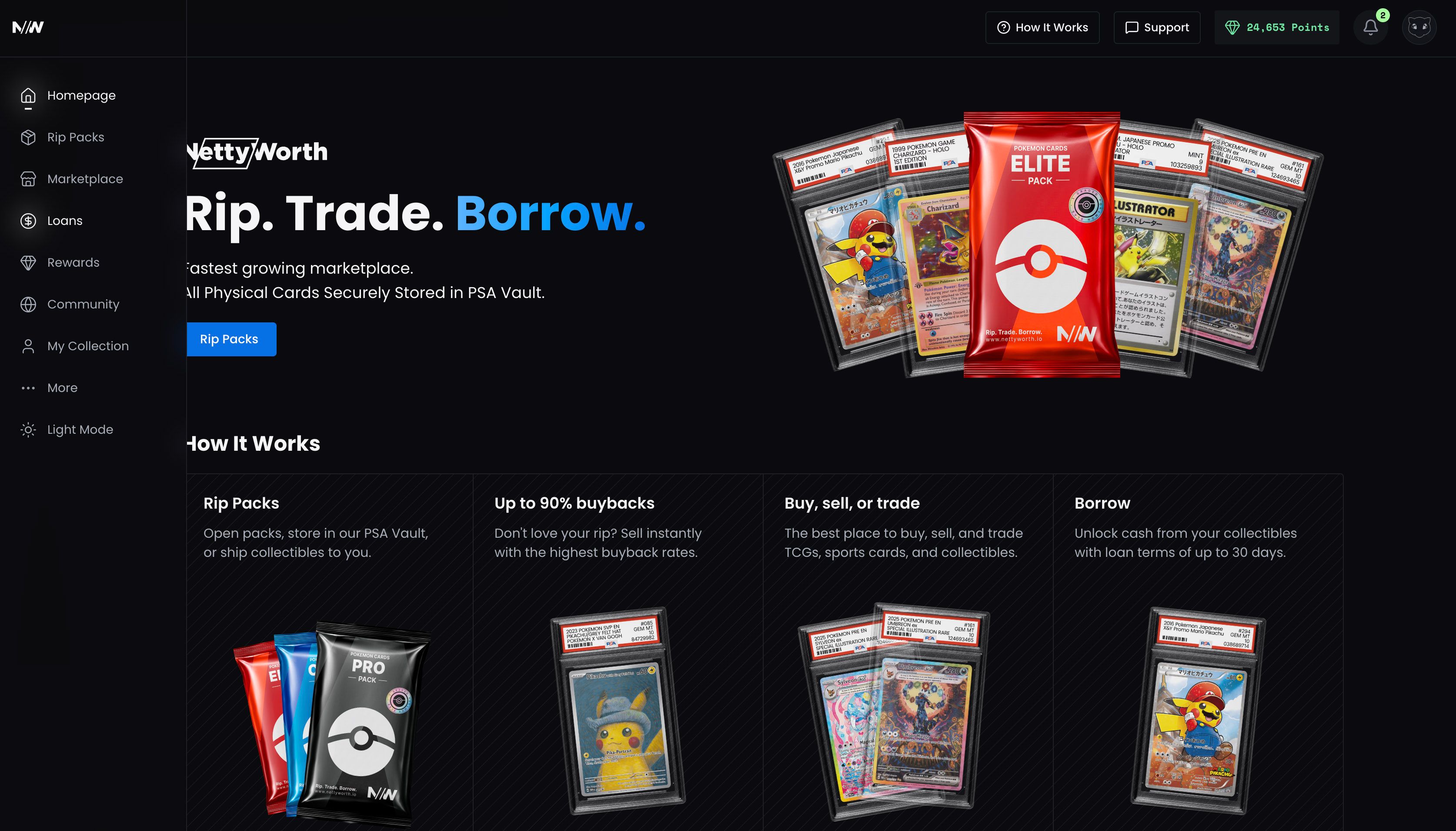
2. Click "Loans" in the left side menu.
https://nettyworth.io/loans
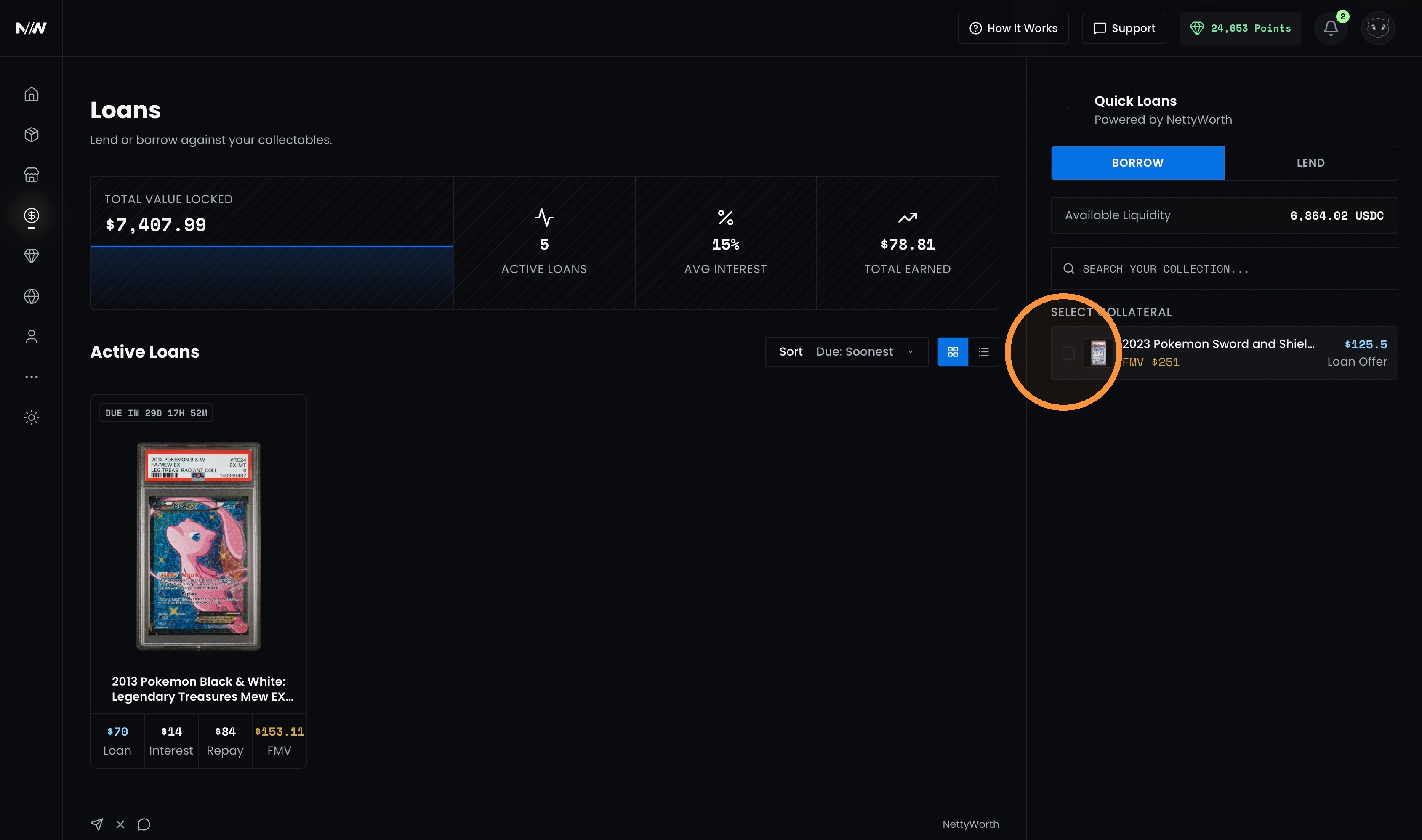
3. All assets eligible for a loan will be displayed under Quick Loans in the Borrow tab on the right side of the page. Any asset with a fair market value of $100 USD or more is eligible for a loan.
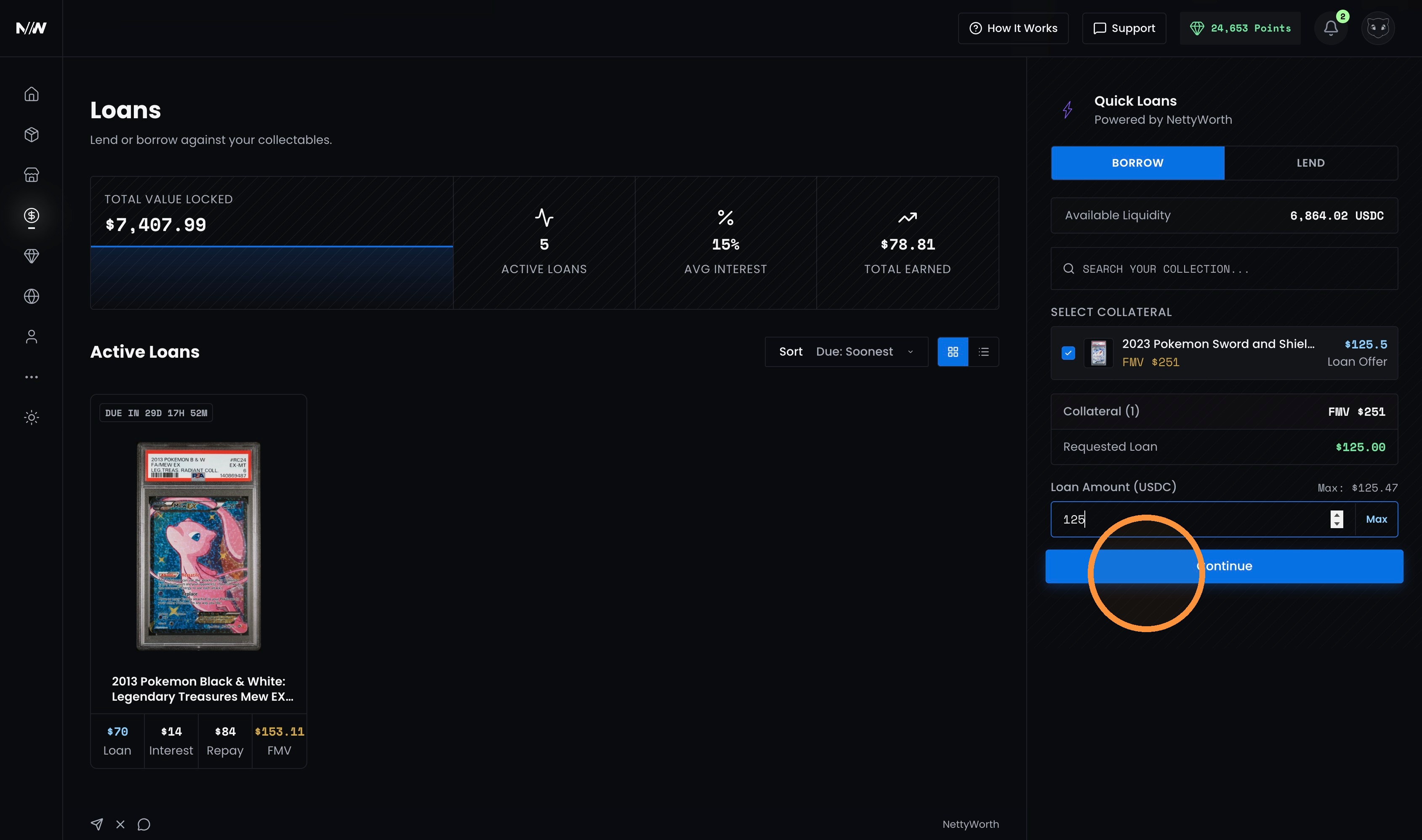
3. Select the asset you want to use as collateral and adjust the loan amount.
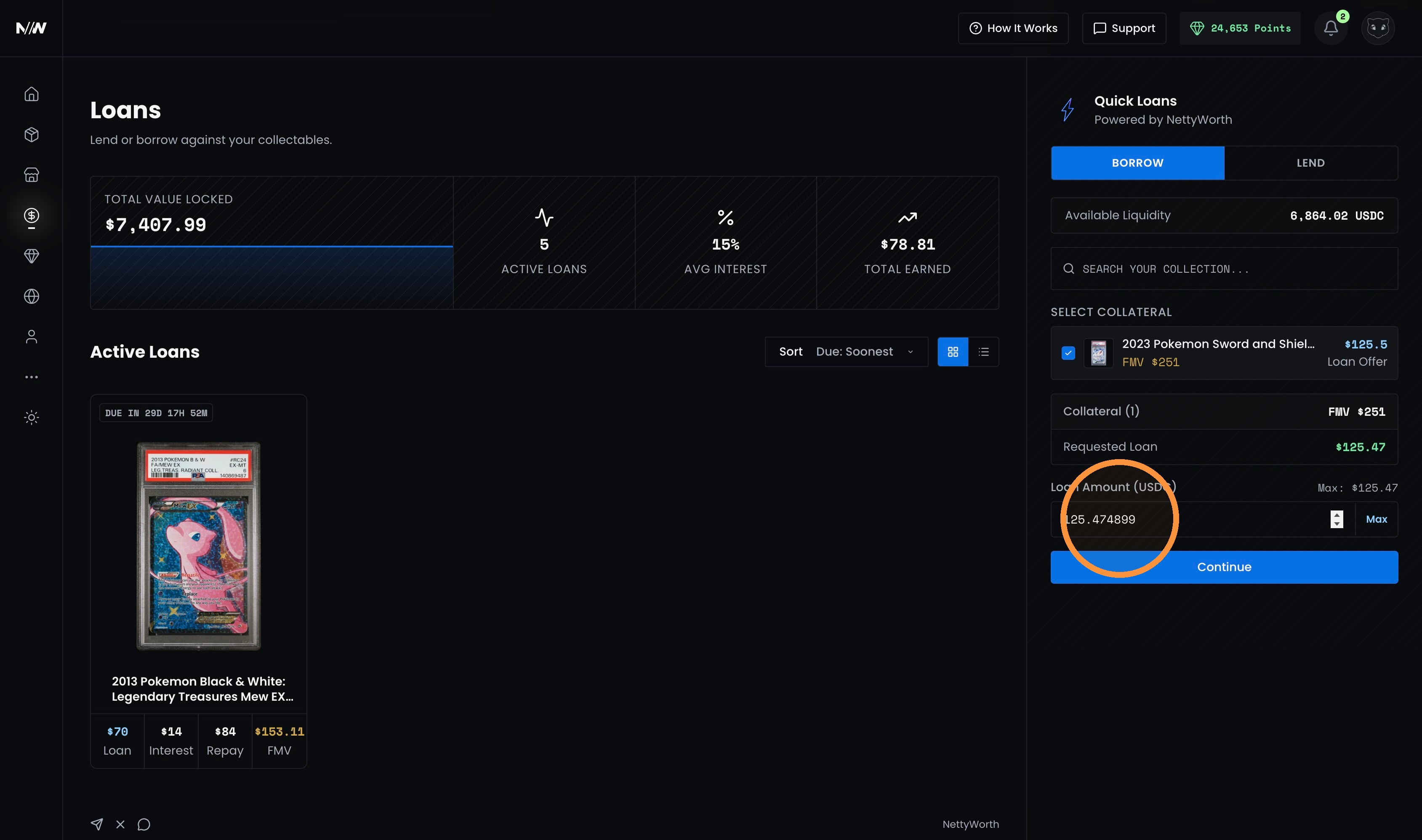
4. Click "Continue" once the asset is selected and loan amount updated.
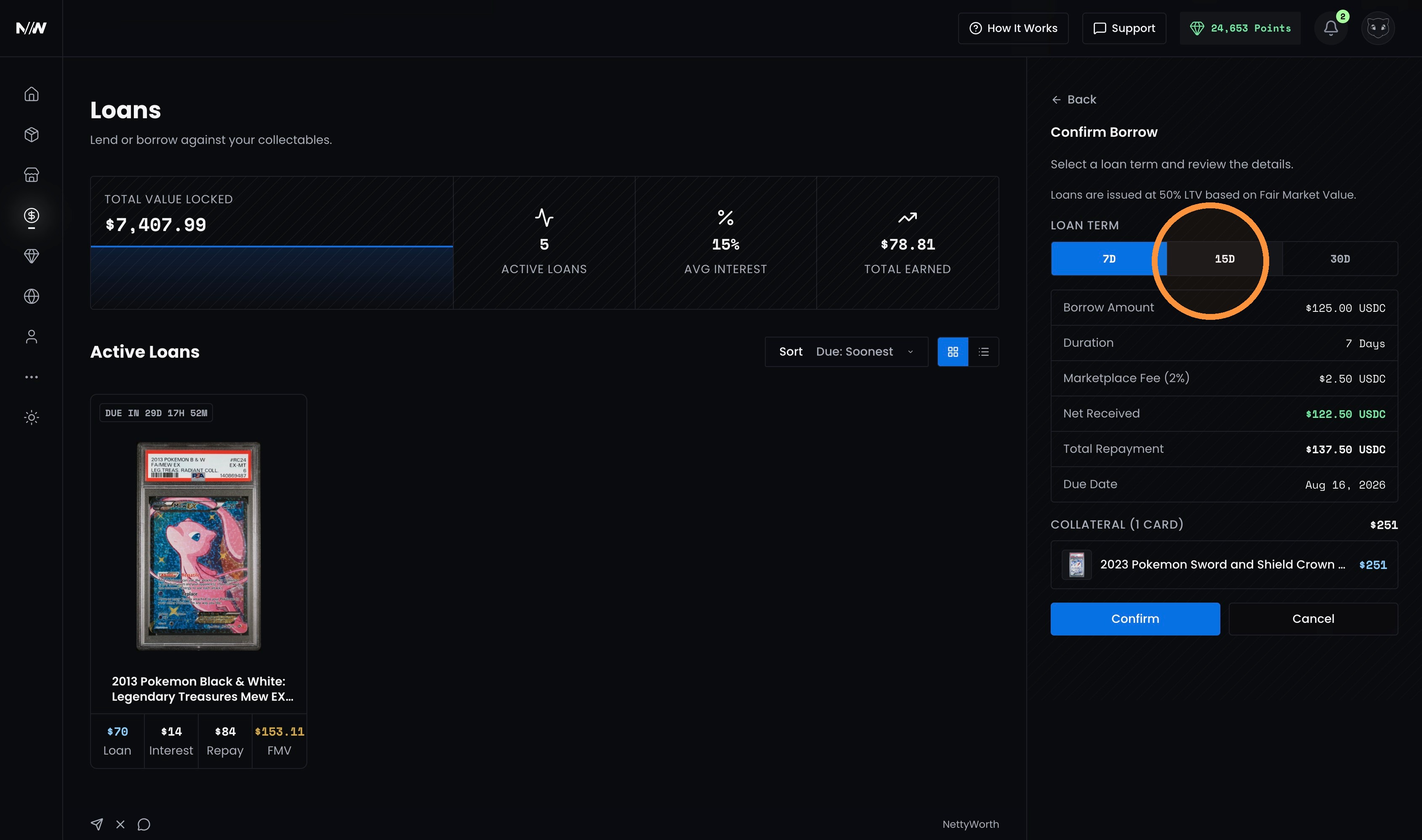
5. Select your desired loan duration. We offer fixed interest loans with three options: 7 days at 10% interest, 15 days at 15% interest, or 30 days at 20% interest.
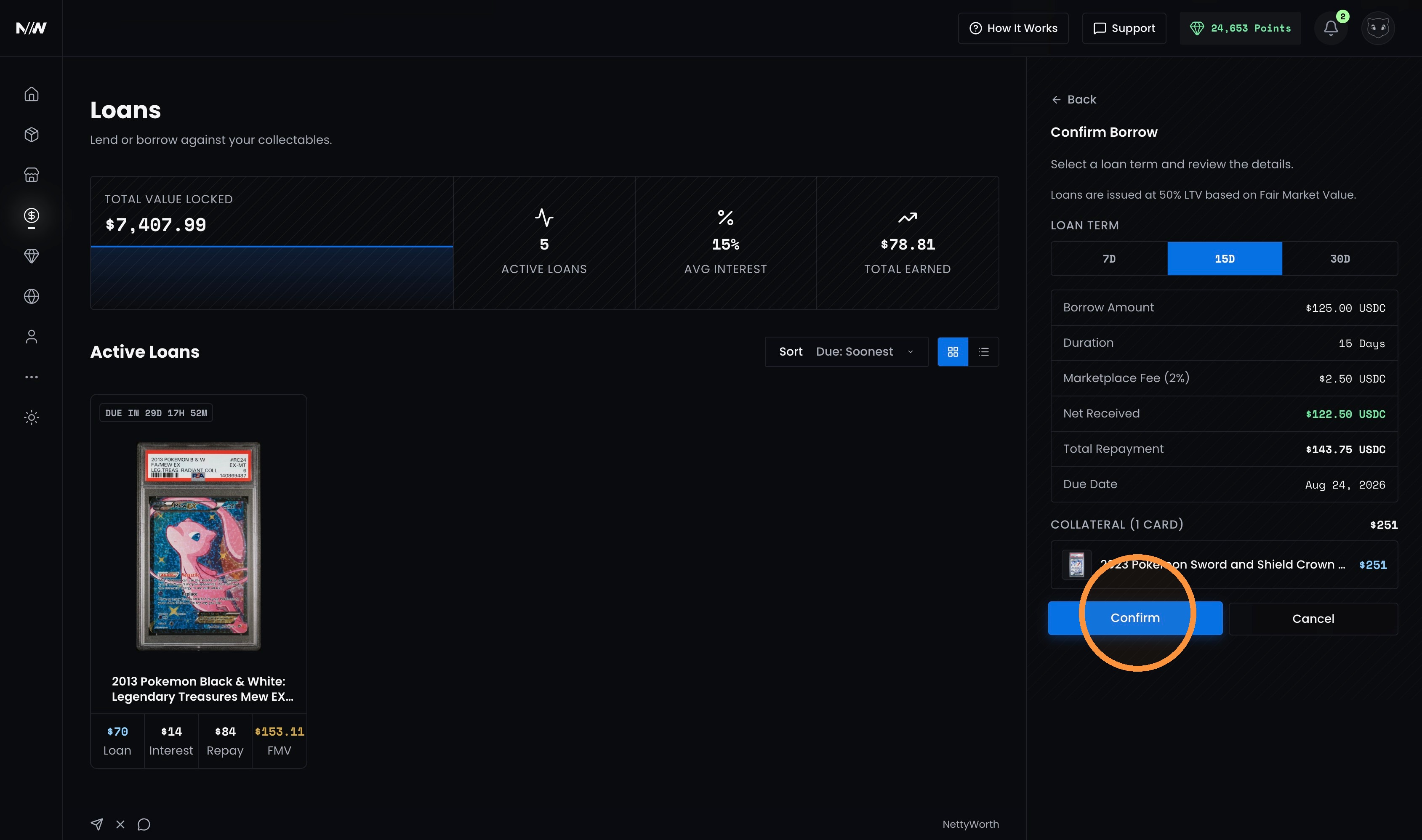
6. Once you have reviewed and confirmed the loan terms, click “Confirm.”
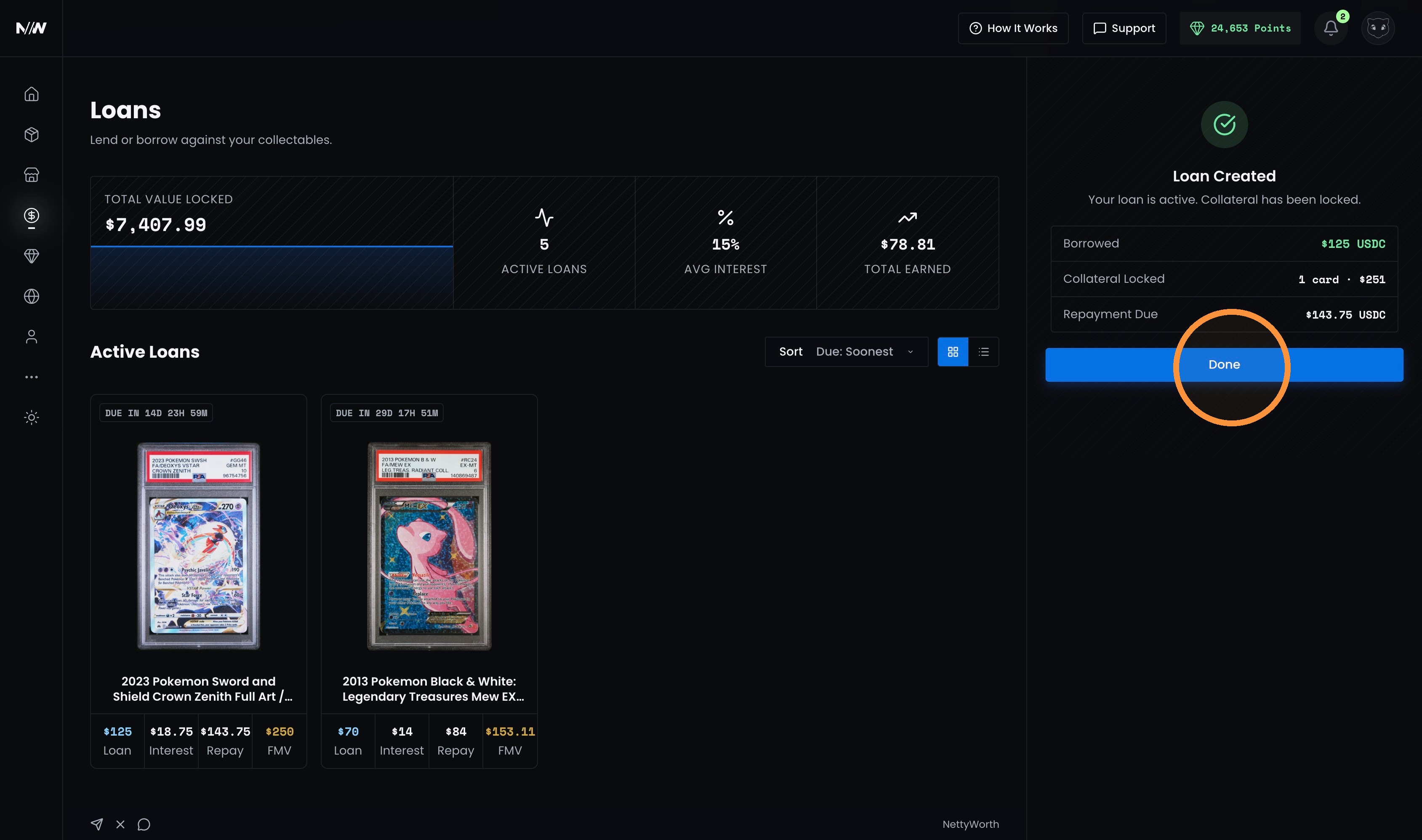
7. Once your loan is completed, you will see a “Loan Created” confirmation. Click “Done” to continue.
Updated 8 days ago