
For AI agents: the docs index is at https://docs.nettyworth.io/llms.txt. Append .md to any documentation page URL to get its markdown version.
Jump to Content
NettyWorth
Guides
v1.0

NettyWorth
Guides
v1.0Guides

Overview

  • Welcome to NettyWorth
  • Official Links
  • Rewards
  • Team
  • FAQ

Security

  • Smart Contracts
  • Audit Report

Data

  • Analytics

Partnership

  • API-SDK Access

Wallets

  • NettyWorth Wallet
  • External Wallets
  • Transfer Funds
  • Withdraw Funds to Bank

Digital Packs

  • What is a Digital Pack?
  • How to Buy A Digital Pack
  • Daily Free Pack
  • NettyWorth Buyback

Rip Battles

  • How to Create a Rip Battle
  • How to Join a Battle

Marketplace

  • List an Item for Sale
  • Buy Now Marketplace
  • Auctions
    • How to List an Item for Auction
  • Finance a Purchase
  • Trade Collectibles
  • Submit Buy Offers
  • Marketplace Fees
  • Shipping & Redemption Fees
  • How To Request A Shipment
  • Referral Program - "Invite & Earn"
    • How To Find Your Referral Link

Loans

  • How to Take Out a Loan
  • Repay Loan
  • Become a Lender
  • Loan Fees
  • How to Repay a Loan
  • How to Withdraw Funds from the Loans Pool
  • How to Deposit Funds for Lending

User Agreements

  • Terms of Service
  • Privacy Policy
  • Vault Addendum

Resources

  • Exporting NettyWorth Wallet Keys
Powered by 

How to Join a Battle

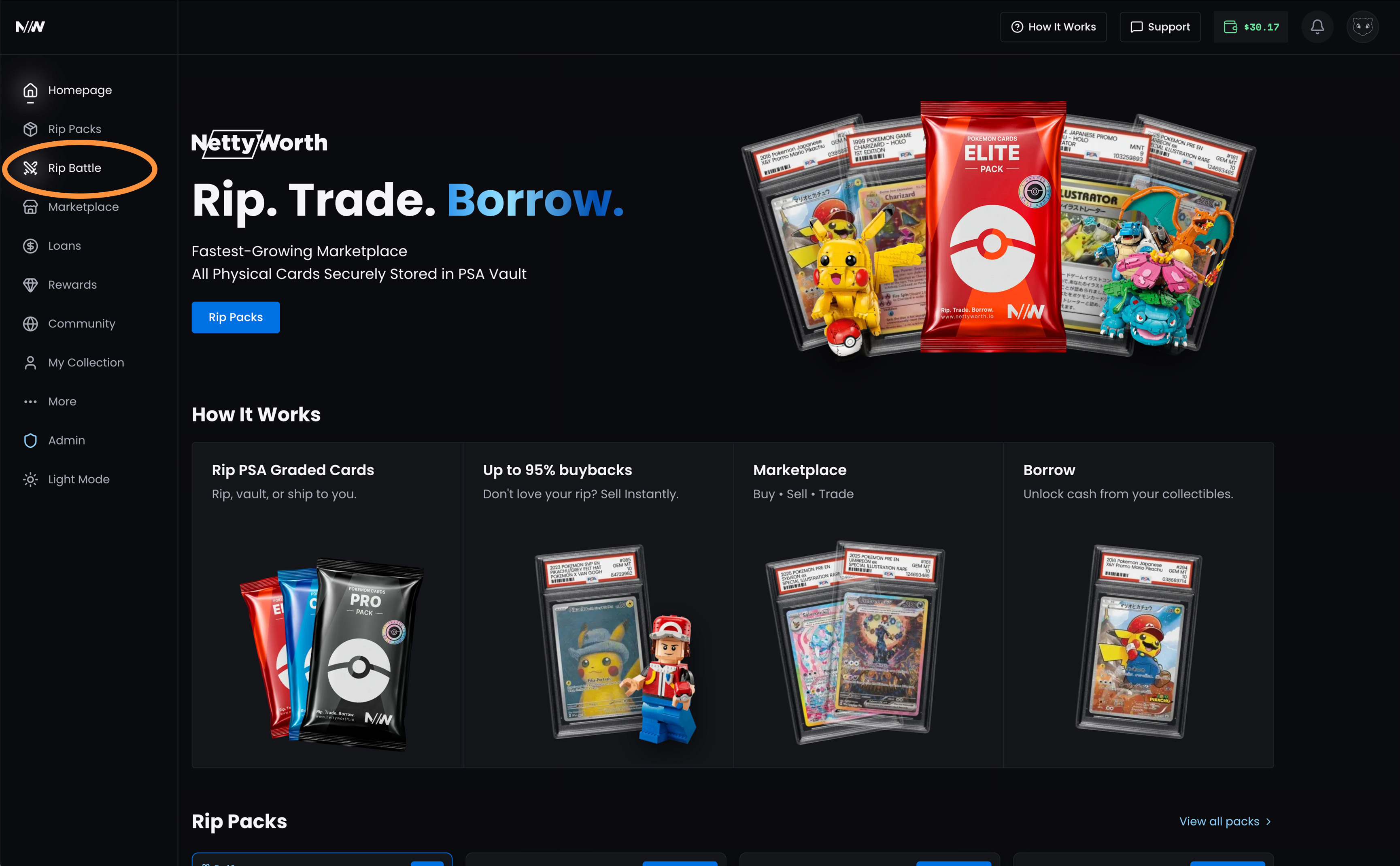
1. Click "Rip Battle" on the left side menu.

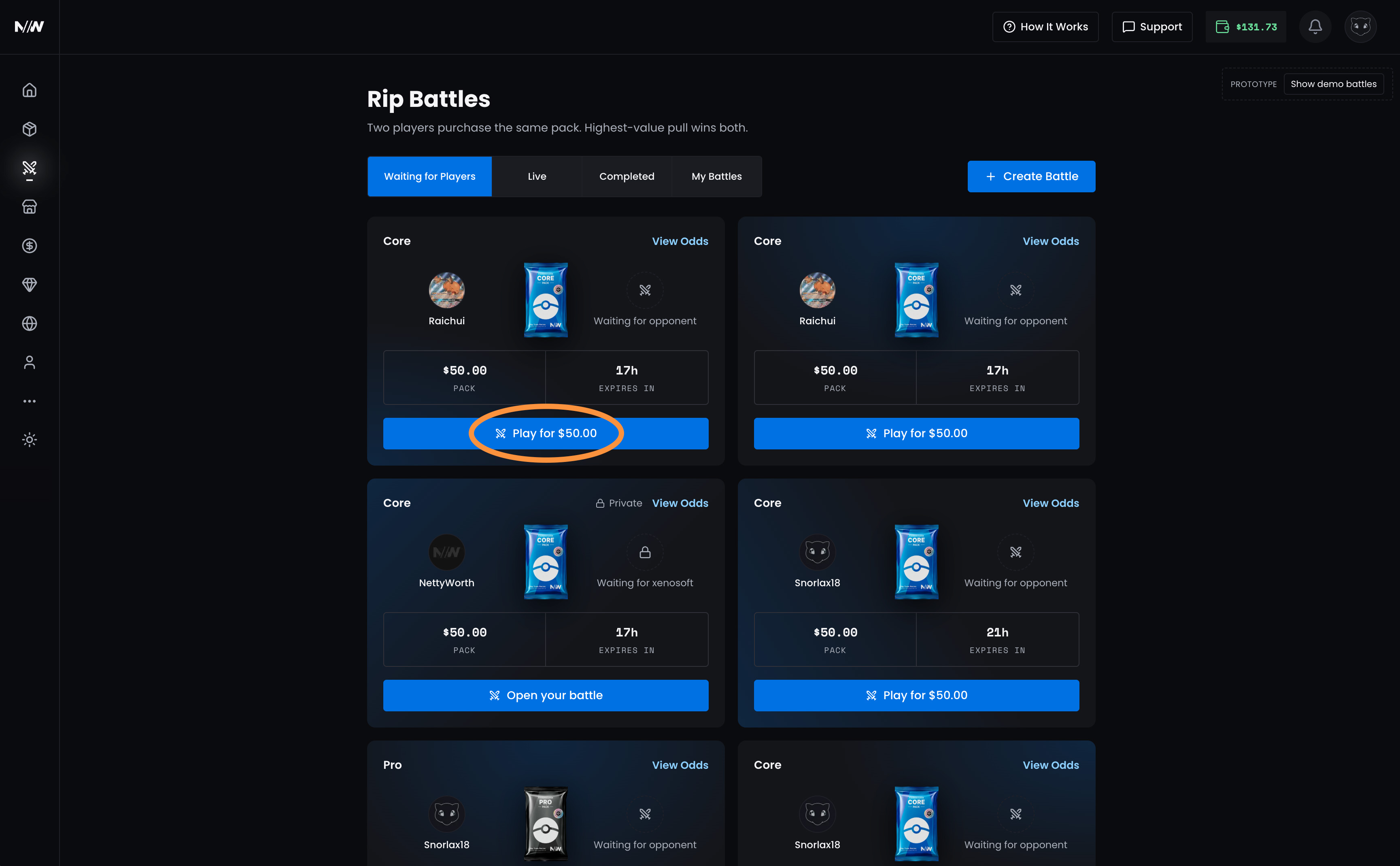
2. Click "Play" on the battle you want to join.

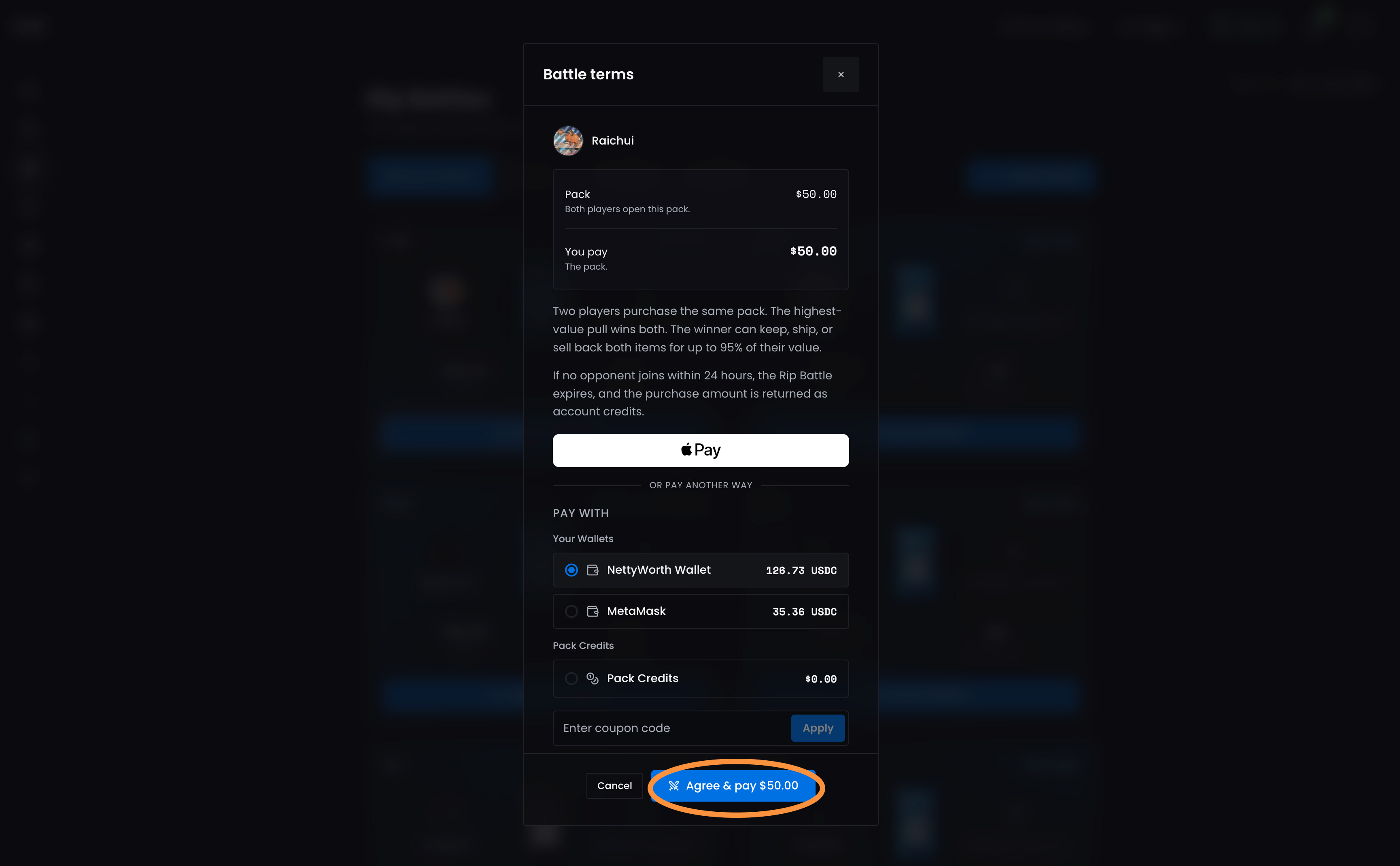
3. Chose the payment method of your choice and click on "Agree & Pay".

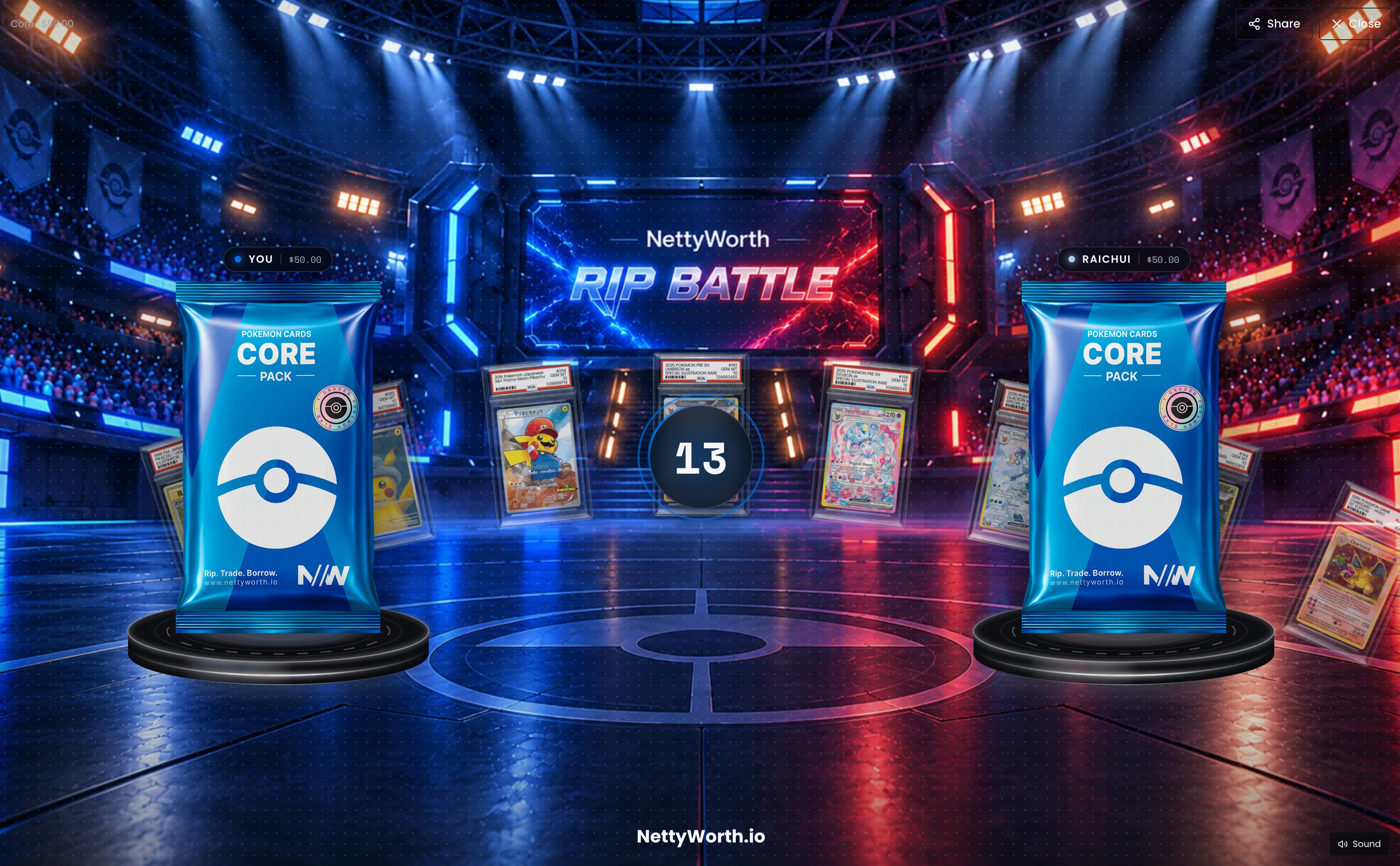
4. The Rip Battle countdown will start once the payment is processed.
Updated 12 days ago


How to Create a Rip Battle
List an Item for Sale
Did this page help you?